


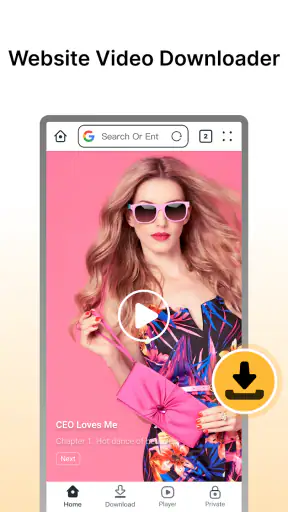
When I want to keep a video from a website for later, the annoying part is often not watching it but getting it from the browser into a usable offline file. Fast Downloader - Video Player is built around that narrow problem. It is a free Android app in the video players and editors category, developed by Dhvankit, and its main appeal is a straightforward path from a web video to playback on the device.
I see it as a practical tool rather than a complete media studio. It is aimed at people who regularly encounter videos online and want a faster, more private-feeling way to handle them than repeatedly opening a browser page. That makes it interesting for commuters, travelers, students saving permitted course material, and anyone organizing personal video files. It is less convincing for someone looking for editing, streaming subscriptions, cloud synchronization, or a universal solution for every website.
From finding a video to watching it offline
The starting point: a video that is awkward to revisit
A realistic use case is a long trip with unreliable connectivity. I find a useful tutorial or a permitted public video at home, then want it available during the journey without depending on a live page loading correctly. The usual alternatives are bookmarking the page, relying on a browser’s temporary cache, or using a service-specific offline feature. Those options can be fine, but they do not always produce a file I can open when I need it.
This is where the app’s focused design makes sense. Its store summary emphasizes downloading website videos quickly and privately, while the short description presents it as a fast downloader. I would not interpret that as a promise that every website will work identically. Instead, I see it as a clear statement of purpose: start with an online video, pass it through the downloader, and finish with something available in the app’s video-playing environment.
The first useful habit is to check whether saving the material is allowed. A downloader can simplify the technical step, but it does not change copyright rules, a site’s terms, or the creator’s wishes. For my own clips, openly licensed material, and videos where the owner has given permission, the workflow is sensible. For protected subscription content or material that a platform deliberately keeps inside its own service, I would use the platform’s official offline option instead.
Step one: bring the source into the workflow
The important handoff is from the website to the app. In everyday use, that means starting from the page containing the video and giving the downloader a usable source. The exact experience can depend on how the site presents its media, so I would approach this as a quick compatibility check rather than assuming that a visible play button guarantees a downloadable file.
Before beginning a larger download, I recommend testing one short or low-priority video. That small trial can reveal whether the page is suitable, whether the app recognizes the video correctly, and whether the final file behaves as expected. It is a better workflow than filling storage with several attempts and discovering later that the source was not handled cleanly.
Another practical tip is to clean up the source before handing it over. If a page contains several embedded videos, advertisements, or unrelated media elements, identifying the exact video first reduces confusion. The app is most useful when I treat it as the transfer step in a deliberate process, not as a magic button for every moving image on a page.
Step two: choose the right moment to download
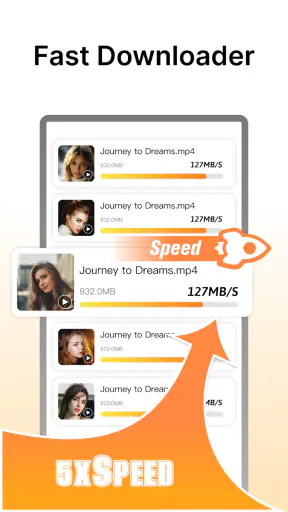
“Fast” is valuable, but speed is only one part of the result. I prefer to begin downloads when the phone has a stable connection and enough free storage. A rushed transfer on a weak network can leave me with an incomplete result and force me to repeat the entire process. For a long video, I also avoid starting immediately before I need to leave, because a downloader cannot compensate for a poor connection or a nearly full device.
This is one of the app’s trade-offs. Its focused purpose can remove unnecessary steps compared with manually juggling browser pages and file locations, but the quality of the outcome still depends on the source and the device. I would not judge it solely by the first few seconds of a download. The useful question is whether the saved video opens properly afterward and remains convenient to find.
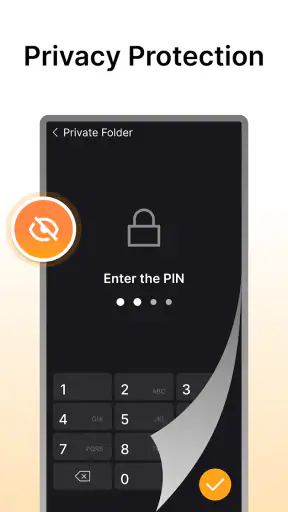
For privacy-conscious users, the appeal is easy to understand. Keeping a permitted video available locally can mean fewer repeat visits to a website and less dependence on a page that changes later. Still, “private” should be read sensibly: a local file is not automatically invisible to anyone who can access the phone, and the app does not turn sensitive content into a secure vault. I would avoid downloading personal or confidential material onto a shared device unless I was comfortable with that risk.
Step three: check the handoff from download to playback
The most important moment comes after the transfer. A download is not truly successful just because a progress indicator reaches the end. I open the resulting video, move through different points, check that audio and picture stay together, and confirm that the file is placed where I can locate it again. This quick inspection catches problems while the original page is still available.
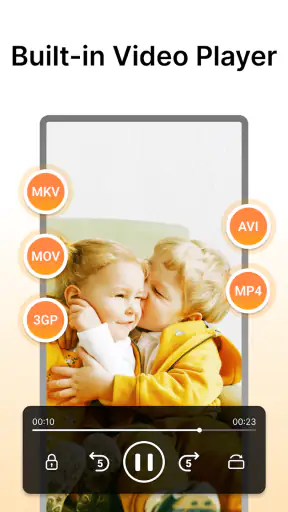
That playback step is also where the app’s identity as both a downloader and a video player matters. I do not have to treat the saved item as an orphaned file immediately after downloading it. The app provides a more direct path from acquisition to viewing, which is convenient when I want to verify the result without switching among several unrelated tools.
My advice is to name or organize downloads as soon as the workflow allows it. A folder full of generic filenames becomes difficult to manage, especially when several videos come from the same website. The app may solve the transfer problem, but personal organization still determines whether the saved collection remains useful a week later.
Where the handoffs create friction
The browser-to-downloader handoff is the first possible weak point. Websites do not all expose video content in the same way. Some pages use direct media files, while others wrap playback in scripts, accounts, advertisements, or protected systems. A downloader can be excellent for compatible sources and still be the wrong tool for a particular page.
The second handoff is from the downloaded file to long-term storage. Offline video is convenient, but it consumes space quickly. I would reserve room before a batch download and remove files after the trip, class, or project is finished. Otherwise, the app can solve one problem while quietly creating another: a crowded phone that becomes harder to manage.
The third handoff is between the app and the rest of my media routine. If I want advanced editing, subtitles, color correction, detailed format conversion, or a carefully synchronized library across devices, a dedicated editor or media manager may be a better companion. This app’s strength is the short route from website video to viewing, not a broad production workflow.
Everyday uses that suit the app
For travel, I would use it for videos I am allowed to save and then test them before leaving home. That last check matters because offline access is only useful if the file actually plays when the connection disappears. I would also keep the number of saved videos modest, choosing the material I am most likely to watch rather than downloading an entire channel.
For learning, the app can fit a simple capture-and-review routine. I can save a permitted lecture or demonstration, watch it later, and revisit difficult sections without repeatedly loading the original page. The non-obvious benefit is control over timing: I can prepare a small study queue in advance instead of depending on a website’s layout each time I revise.
For personal projects, it may help gather reference clips that are legally available for reuse. I would keep source details alongside the files, because downloading something and remembering where it came from are separate tasks. That habit makes later editing, attribution, or deletion much easier.
It can also be useful for family situations where a connection is inconsistent. A parent might prepare permitted educational or entertainment videos before a journey, then hand the phone to a child without relying on live playback. I would still supervise the content and remember that the app carries a Teen content rating, so it should not be treated as an automatic child-safe environment.
What the numbers suggest about its position
The app has reached more than a million installs and holds an average rating of 4.2 from roughly twenty-one thousand ratings. That gives me some confidence that the basic idea is useful to a substantial audience, while the rating also suggests I should keep expectations realistic rather than treating it as flawless.
Its current version is 2.5.2, and it was released on October 23, 2025. It runs on Android 8.0 and later, which makes it accessible to many older phones as well as newer devices. Because it is free, trying the one-video compatibility test costs nothing beyond time, storage, and the normal care required when handling online content.
The Teen rating is worth noticing before installation, particularly on a shared family phone. It describes the app’s store classification, not a guarantee that every video encountered through it is suitable for every viewer. I would use the same judgment I apply to any tool that brings website content onto a device.
How it compares with the usual alternatives
The browser is still better when I only need occasional access. Bookmarking keeps storage clear and avoids managing files, while streaming usually provides the freshest version of a video. If the website already offers a reliable official offline mode, that option may be more respectful of the platform’s rules and more dependable for protected content.
A dedicated download manager may be preferable for people who need extensive queue controls, detailed transfer management, or broader file handling. A full media player may offer more playback customization. An editor is the obvious choice when the goal is to cut clips, add titles, adjust audio, or export a finished project. Fast Downloader - Video Player makes more sense when those extra layers are distractions and the main job is simply saving a compatible website video for later viewing.
Compared with using several separate apps, its combined downloader-and-player identity is convenient. I can move from source to result with fewer handoffs. The trade-off is specialization: the shorter path is attractive, but it does not replace a complete media toolkit. I would choose it for a compact workflow, not because I expect it to manage every kind of video task.
Who should install it, and who should skip it?
I would recommend it to Android users who frequently save permitted website videos, want a free tool, and value a direct route into playback. It is particularly suitable for planned offline viewing, small personal collections, and situations where repeatedly reopening a browser page is inconvenient.
I would skip it if my main need is downloading from protected streaming services, editing finished videos, maintaining a synchronized multi-device library, or handling a large professional archive. I would also avoid making it my first choice if I only download a video once in a while; in that case, the browser or the source platform’s own feature may be simpler.
Older Android owners should check that the phone is running Android 8.0 or newer before building a workflow around it. Newer phones should still be evaluated by available storage and the way their preferred websites handle video. Compatibility is not just an operating-system question; the source page remains part of the equation.
The result after a careful workflow
When the source is permitted and compatible, the outcome is pleasantly direct: I find a video, pass it into the downloader, wait for the transfer, open it in the player, and keep it available for the situation where I need it. The app earns its place by reducing the distance between an online discovery and an offline viewing session.
My strongest recommendation is to use it selectively. Test one file, verify playback, organize the result, and delete what no longer serves a purpose. Those small habits make a bigger difference than chasing the fastest possible download, because they protect storage and prevent disappointment later.
Overall, Fast Downloader - Video Player is a focused free app from Dhvankit that succeeds when the task is clear and modest. I like its practical route from website video to local playback, and I appreciate that it does not need to pretend to be an editor or a full streaming replacement. Its limitations are just as clear: website compatibility, storage management, content rights, and the lack of a broader media-production role.
If that workflow matches the way you use your phone, I think it is worth trying. If you need a guaranteed solution for protected services or a complete video toolbox, I would choose a more specialized alternative. For permitted downloads and straightforward offline viewing, though, this app’s real strength is the clean handoff from finding a video to actually having it ready when the internet is not.


